How to Create a Birthday Song With a Name Online Free
Everyone has heard the traditional “Happy Birthday” tune a thousand times. It’s cheerful, but it’s identical at every single party. Now picture the birthday person’s face when a song starts playing with their own name woven into the lyrics — their favorite music style, a nod to their hobbies, maybe even a mention of their beloved pet. That’s the magic of a personalized birthday song, and you can create a birthday song with a name online free in about ten minutes.
This guide shows you exactly how: the best free tools available, a simple five-step process anyone can follow, expert tips for making the song unforgettable, and creative ways to present it for maximum impact.
What Is a Personalized Birthday Song?
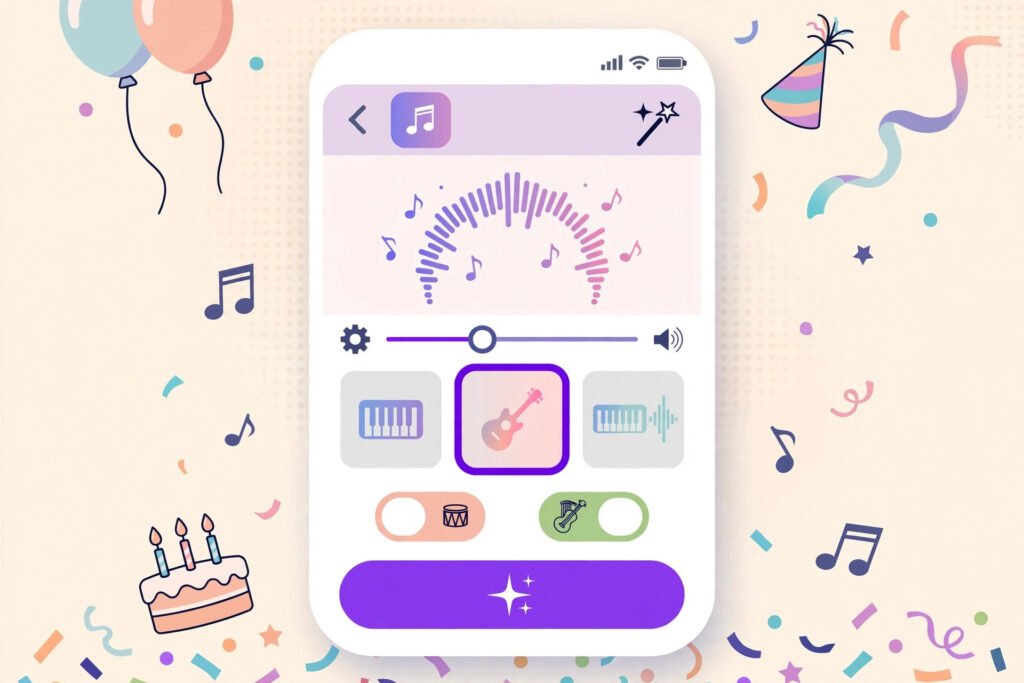
A personalized birthday song is a track built around one specific person. Their name appears in the lyrics, and the genre, tempo, and mood are chosen to match their taste. Modern AI music platforms generate these from a short text prompt: you type a name plus a few personal details, pick a music style, and the platform composes and performs a complete song.
The result feels like a gift that was made rather than bought — because it was.
Personalized vs. Traditional: What’s the Difference?
| Aspect | Traditional birthday song | Personalized birthday song |
|---|---|---|
| Uniqueness | Identical at every party | One of a kind |
| Emotional impact | Familiar and warm | Deeply personal |
| Effort required | None | About 10 minutes online |
| Cost | Free | Free on most platforms |
| Keepsake value | Forgotten by dessert | Replayed for years |
The traditional song will never disappear — but a personalized track turns a routine moment into a lasting memory.
Why Make One Online?
- It’s free. The best generators offer free tiers with more than enough capacity for a birthday surprise.
- No musical skill needed. If you can type a sentence, you can produce a song.
- It’s fast. From idea to finished audio file in less time than a gift-wrapping session.
- It’s unforgettable. People keep personalized songs on their phones for years. Nobody keeps wrapping paper.
How to Create Your Song in 5 Steps
Step 1: Pick a generator. Choose one of the platforms compared below. For your first song, favor the simplest interface over the most powerful feature set — you can always get fancier later.
Step 2: Enter the name and personal details. Type the birthday person’s name exactly as you want it sung. Then add the gold: their age, hobbies, nickname, an inside joke, the city they love, their favorite food. The more specific your details, the less generic the lyrics will sound.
Step 3: Choose a music style. Match the genre to the recipient’s taste — upbeat pop for the mainstream lover, acoustic for the sentimental type, hip-hop for high energy, lo-fi for chill vibes. Most platforms offer dozens of styles to audition.
Step 4: Customize lyrics, vocals, and mood. Read through the generated lyrics and fix any awkward lines. Pick a vocal style you like, adjust the tempo, and consider adding a spoken intro. These ten extra minutes are what elevate a decent song into a great one.
Step 5: Preview, refine, and download. Listen to the full track before finalizing. Verify the name is pronounced correctly — regenerate or tweak the spelling if it isn’t. Once you’re happy, download the audio file and get ready to share it.
The Best Free Platforms Compared
| Platform | Key strengths | Best for |
|---|---|---|
| Voicemod | Text-to-song engine with many voices and languages | Playful, characterful vocal styles |
| Suno | Full AI-composed songs from simple prompts | Complete, polished original tracks |
| Musicfy | Lyric personalization built around names | Lyric-driven, heartfelt gifts |
| Boomy | Templates with near-instant results | Total beginners |
(All platform names are mentioned for reference only — a quick search will find them; no links needed.)
Start with whichever interface feels friendliest. If you’re feeling ambitious, generate a second version on another platform in a different genre — having options is a luxury the traditional birthday song never offered.
Expert Tips for a Song They’ll Treasure
- Weave in real stories. “Remember our road trip to the coast?” beats a generic “hope your day is great” every single time. Specific memories make lyrics feel written, not generated.
- Match their taste, not yours. A metal fan won’t love a tender ballad no matter how sweet the words. When in doubt, quietly ask a mutual friend about their favorite genre.
- Add multiple names for group celebrations. Family birthdays and office parties shine when everyone gets a mention — just confirm beforehand that your chosen platform supports multiple names.
- Keep it under two minutes. Short songs get replayed; long ones get skipped halfway. Aim for sixty to one hundred twenty seconds.
- Layer in small production touches. A fun sound effect, a spoken intro (“This one’s for you!”), or an energy lift in the final chorus adds polish for free.
- Test the pronunciation. Unusual names occasionally trip up AI vocals. Try phonetic spelling variations until the name sounds exactly right.
Creative Ways to Share It
Creating the song is half the fun — presenting it is the other half:
- Social media stories. Post the track with favorite photos and a heartfelt caption. Tag the birthday person so the memory lives on their profile.
- A digital greeting card. Pair the audio with a designed card for a gift that bridges any distance.
- The party playlist. Slip your custom track between regular songs during the celebration and watch the room light up when the name drops.
- A video message. Combine the song with a photo slideshow for a mini music video. If any of your clips carry unwanted logos, clean them up first with a watermark removal guide so the final result looks polished.
- Ringtone or alarm. Set the song as their ringtone for a gift that keeps surprising them long after the party ends.
Frequently Asked Questions
Is it really free?
Most platforms include free tiers with enough generations for a birthday project. Paid plans unlock more styles and downloads, but you don’t need them for a single song.
Who owns the song I create?
For personal, non-commercial birthday use, you’re fine on every major platform. Check the specific terms of service if you ever plan to use generated music commercially.
Which languages are supported?
English works everywhere; leading platforms also handle Spanish, French, German, Hindi, Urdu, and many more. Test your language with a short sample before committing to a full song.
Can I use a nickname instead of a full name?
Absolutely — nicknames often sing better than formal names. Use whatever the person is actually called by the people who love them.
What if the AI mispronounces the name?
Regenerate with a phonetic spelling. Writing “Maya” as “My-uh” style approximations usually fixes it within a try or two.
Conclusion
Creating a birthday song with a name online free is one of the highest joy-per-minute gifts you can possibly make: pick a platform, add personal details, choose a style, and share. Ten minutes of effort buys years of replay value.
So the next birthday on your calendar isn’t just another party — it’s your chance to hand someone a song with their name in it. Start creating today, and make sure to send it somewhere they’ll actually see it, like their favorite chat app.