LMC 8.4 Camera Review: Is It Still Worth Using in 2026?
LMC 8.4 is not a normal camera app with one universal APK. It’s a third-party Google Camera port by developer Hasli — built on computational photography, detailed controls, multiple package variants, and device-specific XML configs. Here’s the honest, complete breakdown.
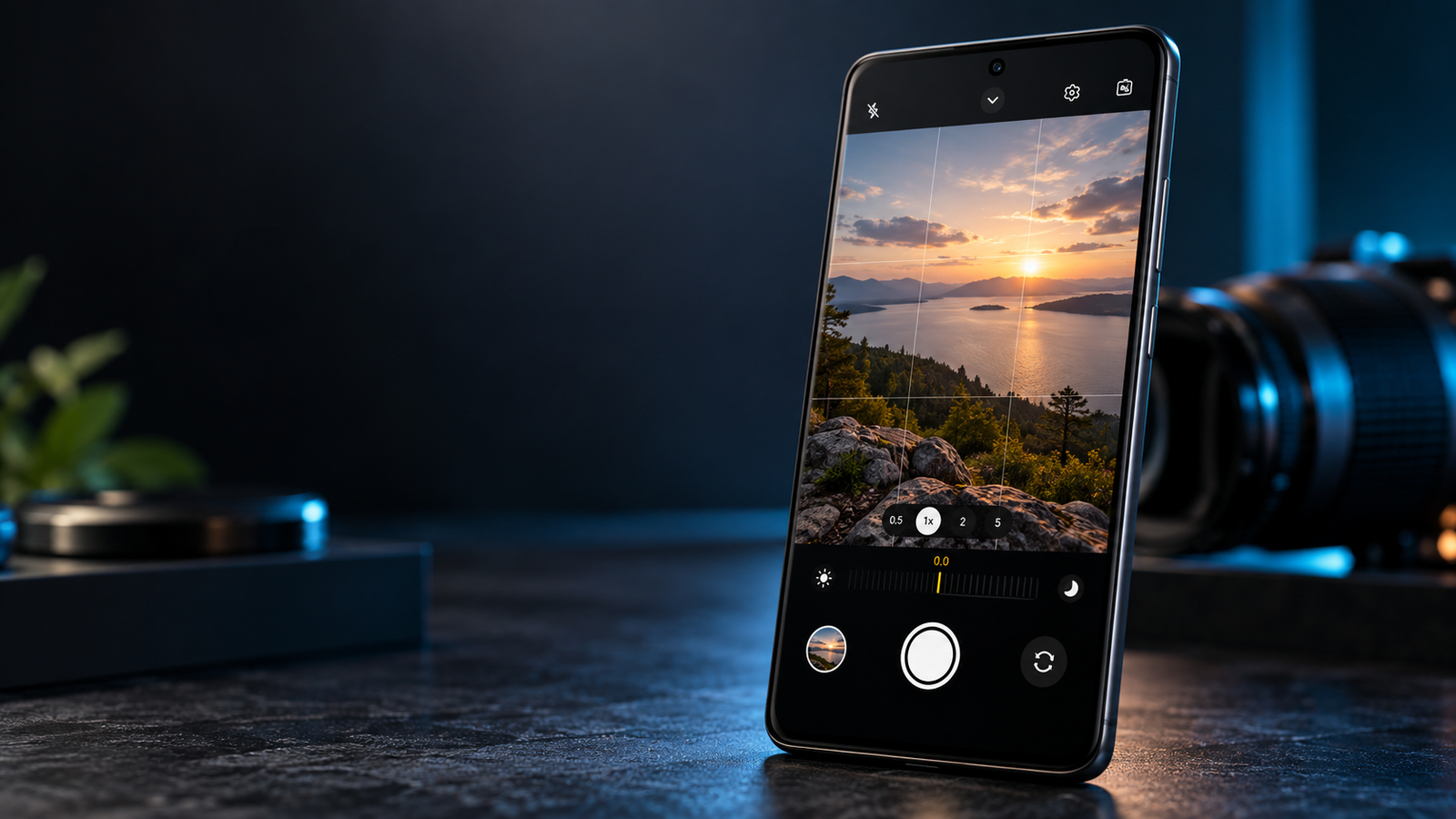
“Does LMC 8.4 still make sense for your particular Android phone — and if so, which build and configuration should you use?”
For many compatible devices, the answer can still be yes — but compatibility and configuration matter more than the version number alone.
On this page ▾
- Quick Answer: Which Version?
- What Is LMC 8.4 Camera?
- Is It the Official Google Camera?
- LMC 8.4 R18 vs R17
- APK Variants Explained
- Why LMC Needs XML Config Files
- Does It Improve Photo Quality?
- LMC 8.4 for Night Photography
- Camera Compatibility
- Multiple Camera Lenses
- LMC 8.4 R18 Features
- Still Relevant in 2026?
- R18 vs Newer LMC Releases
- How to Choose: R17 or R18
- Why One Config Beats Another
- Main Strengths
- Main Weaknesses
- LMC 8.4 or Stock Camera?
- How to Evaluate It Properly
- Common Problems
- Final Verdict
- FAQ
01Quick Answer: Which LMC 8.4 Version Should You Use?
If you specifically want the LMC 8.4 branch, R18 is the final release in Hasli’s 8.4 line and remains a commonly recommended stable port. But that does not mean R18 will automatically produce better results on every phone.
Hasli’s R18 changelog says its changes were focused largely on usability and interface improvements — with no difference in image quality compared with previous versions. Configurations from previous versions can remain suitable.
Still useful when…
- Your existing R17 configuration already works well
- A particular XML was designed specifically for R17
- R18 introduces a compatibility problem on your device
- You want to preserve a known-working setup
Better starting point when…
- You want the newer 8.4 interface and features
- You’re starting a fresh installation
- Your phone has a compatible R18 configuration
02What Is LMC 8.4 Camera?
LMC 8.4 is an unofficial Google Camera / GCam port developed by Hasli. It belongs to the wider GCam modding ecosystem rather than being Google’s official Camera application. Hasli’s releases incorporate work from several other GCam developers, including Arnova8G2, BSG, Shamim and BigKaka.
The important difference between LMC and a conventional camera app is the amount of control available to users. Depending on the phone and configuration, LMC 8.4 can provide access to features such as:
- HDR-based computational photography
- Night Sight-style low-light processing
- Portrait photography
- RAW capture
- Manual controls
- Additional lens controls
- Noise & sharpening adjustments
- Color tuning
- XML configuration files
- Multiple camera package variants
- Advanced image-processing parameters
However, the availability and behavior of these features depend on the device. Android itself exposes different camera capabilities depending on the hardware and Camera2 implementation — individual camera devices can have different capabilities, including manual controls, burst capture and other features.
03Is LMC 8.4 the Official Google Camera App?
No. LMC 8.4 is a third-party GCam port, not the official Google Camera application distributed by Google. This distinction matters because LMC does not have the same universal device support or predictable behavior as an official manufacturer camera application.
Google’s own computational-photography systems combine camera hardware, image processing and machine learning. Features such as HDR+ and Night Sight rely heavily on computational processing rather than simply increasing the camera sensor’s physical capabilities.
A GCam port attempts to make parts of that style of processing and control available on additional Android devices — but it cannot magically turn every phone into a Pixel.
04LMC 8.4 R18 vs R17
R17 and R18 are the two versions that matter most when discussing the later LMC 8.4 releases.
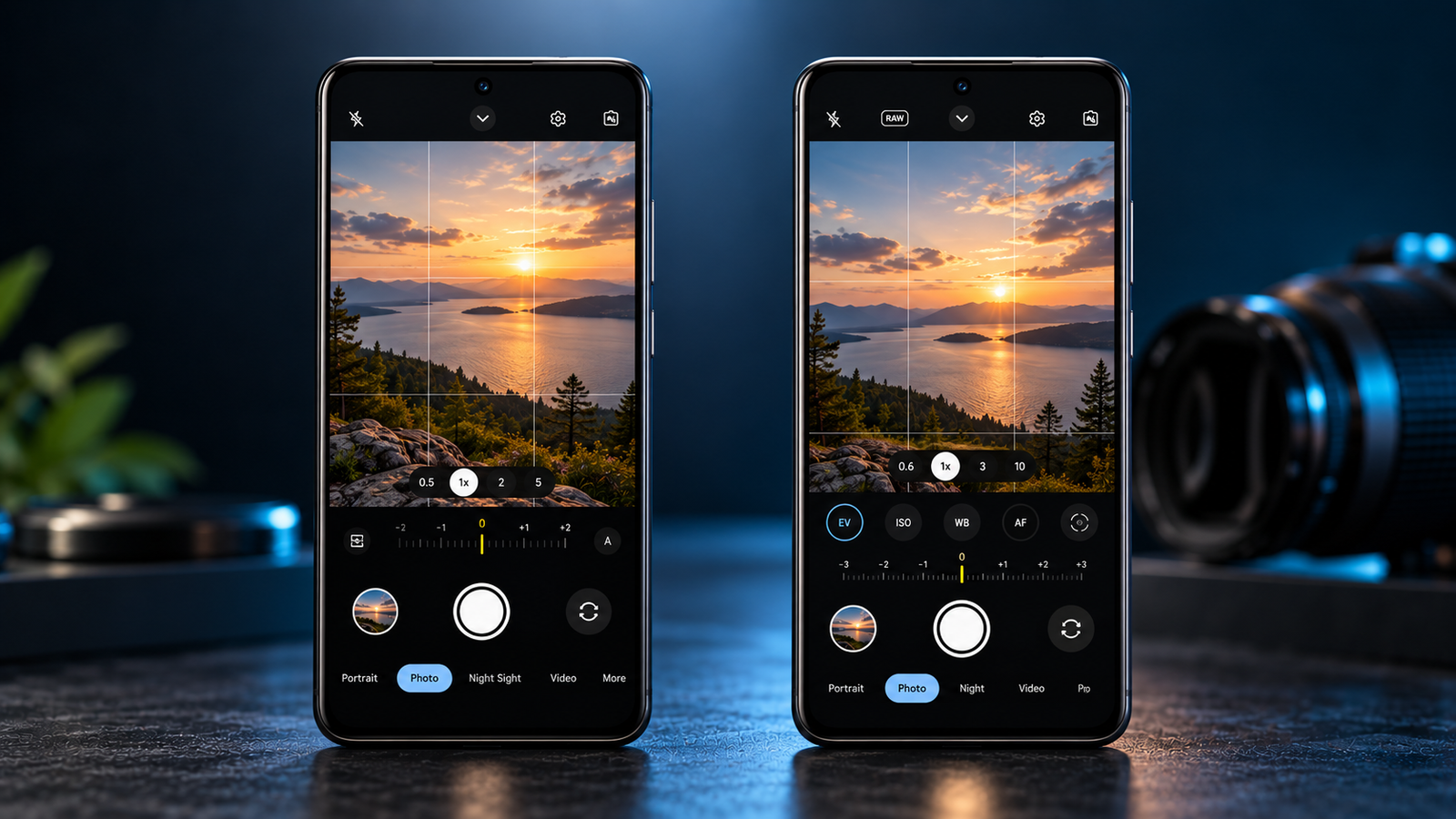
| Area | LMC 8.4 R17 | LMC 8.4 R18 |
|---|---|---|
| Developer | Hasli | Hasli |
| 8.4 branch | Yes | Yes |
| Release | May 2023 | June 2023 |
| Package variants | Several | Several |
| XML configs | Supported | Supported |
| Main focus | Image-processing / settings changes and fixes | Interface, controls and usability |
| Image-quality claim | Depends on configuration / device | Hasli states no inherent quality difference |
| Existing configs | R17-specific configs available | Previous configs can be suitable |
| Best use case | A known-working R17 setup | New 8.4 setup or compatible R18 configuration |
Hasli’s archive lists R17 as a May 3, 2023 release and R18 as a June 14, 2023 release. R17 introduced or modified several tuning options, including changes involving LDR processing, sharpening/gain controls and Samsung metering.
R18 concentrated more heavily on interface and usability changes. Its changelog includes the redesigned exposure slider, popup mode/option buttons, vibration feedback, viewfinder frame-rate information, improved default auxiliary-camera handling and interface changes. Hasli explicitly notes that R18 does not bring a fundamental image-quality difference and that previous configurations can still be used.
What does that mean in practice?
If R17 is working perfectly on your phone, there is not automatically a photographic reason to replace it. If you are starting from scratch and specifically want LMC 8.4, R18 is a logical version to test first.
05LMC 8.4 APK Variants Explained
One of the most confusing parts of LMC 8.4 is the collection of differently named APK files. For R18, Hasli’s archive currently lists six variants:
These are not six completely different camera applications. They are different Android package identities of the same LMC build.
Why do package names matter?
Some Android phones restrict access to additional cameras based on the application package. This can affect access to:
- Ultrawide cameras
- Telephoto cameras
- Auxiliary lenses
- Certain manufacturer-specific camera interfaces
Hasli’s R17 documentation explains that several package names exist because some devices restrict access to additional cameras. It associates particular package identities with different device families, while also noting that unrestricted phones can use different package identities side by side.
06Why LMC 8.4 Needs XML Config Files
XML configuration files are one of the biggest reasons LMC 8.4 can behave very differently between phones. A configuration stores camera settings that can be loaded instead of manually tuning hundreds of parameters.
This is particularly important because Android devices expose different camera hardware and capabilities — Android’s Camera2 documentation shows that phones can expose different cameras and different capabilities for those cameras.
A configuration can affect things such as:
- Exposure behavior
- HDR processing
- Noise reduction
- Sharpening
- Color rendering
- Camera IDs
- Auxiliary lenses
- Resolution
- Image processing
- Stabilization-related settings
- Front-camera behavior
07Does LMC 8.4 Improve Photo Quality?
It can — but there is no universal guarantee. LMC’s advantage comes from computational processing and the ability to tune that processing for particular hardware.
Google describes computational photography as a combination of camera hardware, software and machine learning. HDR+ and Night Sight, for example, combine multiple frames and computational processing to improve results in difficult lighting. LMC 8.4 attempts to bring a modded version of this broader GCam approach to compatible Android devices.
In a suitable setup, users may see improvements in areas such as:
- Dynamic range & highlight control
- Shadow detail
- Low-light photography & noise handling
- Sharpening & color rendering
- Portrait processing
But the result depends heavily on: camera sensor, lens implementation, Camera2 support, Android version, device firmware, selected APK package, XML configuration, and manually changed settings.
08LMC 8.4 for Night Photography
Low-light photography is one of the reasons people look for GCam ports. Google’s Night Sight technology demonstrates why computational photography can be useful at night: multiple frames can be combined to produce brighter and more detailed images while computational processing helps reduce noise and unwanted blur.
LMC 8.4 can provide GCam-style low-light processing on compatible devices, but performance varies.
- Capable main sensor
- Good Camera2 support
- Appropriate configuration
- Stable processing
…may produce noticeably better night photographs than the default camera app.
- Crashes & slow processing
- Excessive noise, strange colors
- Motion artifacts
- Black previews, missing lenses
09LMC 8.4 Camera Compatibility
Compatibility is probably the most important issue to understand before using LMC 8.4. Android’s Camera2 system exposes camera devices and their capabilities to applications — and those capabilities can vary considerably between devices.
A compatible phone may still have problems with specific functions. One configuration might provide main camera access, ultrawide access, telephoto access and stable HDR — while another phone may only provide the main camera reliably.
Community configuration listings demonstrate how device-specific the ecosystem is: the LMC configuration archive contains separate configurations for many Samsung, Xiaomi, Motorola, Realme, Oppo, Vivo and other devices.
Common compatibility problems
- App crashes on launch
- Black camera preview
- Unavailable auxiliary cameras
- Incorrect exposure
- Green or corrupted video
- Unstable slow motion
- Front-camera problems
- Incorrect colors
- Excessive sharpening
- XML configurations that fail to load
These issues do not necessarily mean that LMC itself is universally broken. They can result from a mismatch between the APK package, phone hardware, firmware and configuration.
10LMC 8.4 and Multiple Camera Lenses
Modern smartphones frequently contain multiple physical or logical cameras. Android’s documentation explains that different lenses can have different capabilities and that multi-camera functionality is closely tied to the specific hardware configuration.
This explains why installing a GCam port is not as simple as installing a normal photo app — the application needs to communicate correctly with the camera system exposed by the phone.
A configuration may therefore be created specifically for:
- Main sensor · Ultrawide · Telephoto
- Macro · Front camera
- Manufacturer-specific auxiliary-camera IDs
11LMC 8.4 R18 Features
R18’s official Hasli changelog lists several interface and usability changes:
Exposure controls
R18 changes the exposure slider arrangement, including a full-height slider on the left side of the screen.
Mode and option controls
The release adds popup-style mode and option buttons, making additional controls accessible without filling the main interface with every option.
Custom noise and AWB models
R18 supports loading custom noise and white-balance models. Hasli notes that the application needs to be restarted after selecting a custom model for it to appear in the relevant interface.
Viewfinder frame rate
R18 exposes viewfinder frame-rate information based on the available target FPS ranges.
Auxiliary camera handling
R18 includes a change intended to improve default auxiliary-camera handling on many devices, reducing the need for manual ID changes in some cases. Hasli qualifies this with “probably,” so it should not be interpreted as universal compatibility.
Interface redesign
The release also changes the visual interface, including a black theme and adjustments to the top bar and sliders.
12Is LMC 8.4 Still Relevant in 2026?
Yes — but with an important qualification. LMC 8.4 is no longer Hasli’s newest camera branch.
The current Hasli archive lists these releases:
13LMC 8.4 R18 vs Newer LMC Releases
If you are specifically searching for LMC 8.4, R18 is the release to investigate within that branch. But if your goal is simply to find the newest Hasli camera port, you should not assume LMC 8.4 is the current generation.
This distinction matters because searches for LMC 8.4, LMC 8.4 R18, LMC GCam, latest LMC camera and latest Hasli GCam can represent different user needs.
14How to Choose Between R17 and R18
- You specifically want LMC 8.4
- You are starting a new installation
- Your phone has an R18 configuration available
- You want the newer R18 interface
- Your existing GCam setup does not need to be preserved
- R17 already works reliably
- You have a carefully tuned R17 XML
- Your required features work correctly
- Switching versions provides no meaningful benefit
Do not change a stable camera setup simply because the revision number is higher. Camera ports are highly device-dependent.
15Why One LMC Config May Work Better Than Another
Even when two XML files are made for the same phone, they may target different photographic styles. Community configurations can be tuned for:
Softer rendering
- Gentle, natural look
Stronger sharpening
- Crisp, punchy detail
Natural colors
- True-to-life tones
Higher contrast
- Dramatic, vivid style
Low-light tuned
- Optimized for night shots
Lens-specific
- Different lenses / sensors
The Celso Azevedo archive contains examples where multiple configurations for the same phone are explicitly differentiated by characteristics such as soft, medium and sharp rendering.
16LMC 8.4 Camera Review: Main Strengths
✓ Strengths
- Strong customization — far more control than a basic point-and-shoot interface
- Device-specific tuning — XML files tailor settings to particular devices
- Computational photography — built around computational image processing, not just basic auto controls
- Multiple package options — different package identities help with camera-access restrictions
- Large community ecosystem — extensive config archives, device-specific examples and discussions
17LMC 8.4 Camera Review: Main Weaknesses
✕ Weaknesses
- No universal compatibility — the same APK behaves differently across phones
- Setup can be confusing — package names, camera IDs, XML files and processing settings intimidate new users
- Not every camera feature works — a phone’s lenses may not all be exposed correctly
- Results vary by configuration — a poorly matched XML can look worse than the stock camera
- Unofficial port — LMC is not Google’s official Camera app
- Older 8.4 branch — R18 dates from 2023, though it remains a useful stable option for some devices
18Should You Use LMC 8.4 or the Stock Camera?
There is no universal answer. The stock camera usually has one major advantage: it is designed specifically for the phone’s hardware and software. LMC’s advantage is customization.
- Automatic camera switching
- Manufacturer-specific processing
- Video & stabilization
- HDR & auxiliary cameras
…with little to no configuration. For someone who simply wants to open the camera and take a picture, the stock camera can be easier.
- Greater control over image processing
- Computational photography experiments
- Device-specific fine tuning
- RAW capture & manual controls
…for someone willing to spend time testing configurations.
19How to Evaluate LMC 8.4 Properly
Instead of judging LMC from one sample photograph posted online, compare it against your stock camera using the same conditions — same phone, lens, subject, lighting, resolution, shooting distance, focus point, exposure and scene.
Test several situations:
Daylight
- Highlights & shadows
- Fine detail
- Skin tones & foliage
- Sharpening
Indoor lighting
- White balance
- Noise & exposure
- Color consistency
Night
- Noise & highlight control
- Motion blur
- Shadow detail & color accuracy
Portraits
- Edge detection
- Skin rendering
- Background separation & facial detail
Zoom
- Fine detail & sharpening
- Noise
- Artificial-looking textures
20Common LMC 8.4 Problems
The app crashes
Possible causes include an incompatible package, configuration or camera implementation.
The camera preview is black
The selected package or camera configuration may not correctly communicate with the phone’s camera system.
Some lenses are missing
The phone may restrict auxiliary-camera access, or the configuration may use different camera IDs.
The XML does not work
An XML created for another device or another LMC release may not be appropriate for your phone.
Images look too sharp
The configuration may use aggressive sharpening or processing.
Colors look unnatural
Try a configuration designed for more natural rendering rather than assuming the APK itself is defective.
Video does not work properly
Video compatibility can differ from still-photo compatibility. A community report documents a phone/config combination where regular video worked but slow motion produced corrupted output — a device-specific report, not evidence that all LMC installations have the same problem.
21LMC 8.4 Camera Review: Final Verdict
LMC 8.4 remains an interesting GCam port in 2026 — but it should not be described as the newest camera software from Hasli. R18 is the final release within the LMC 8.4 line, dating from June 2023. Hasli has newer branches, while R18 remains listed among stable GCam options.
Its biggest strength is not simply the number “8.4.” It is the combination of GCam-style computational photography, detailed controls, device-specific XML configurations, multiple package variants, and a large community configuration ecosystem. Its biggest weakness is the same thing: complexity.
LMC 8.4 can work extremely differently from one Android phone to another because camera capabilities, package access, firmware and configurations differ.
“Which LMC build, package and configuration gives my specific phone the most stable and natural results?”That is the more useful question — and the one that actually determines whether LMC 8.4 is worth keeping on your phone.
22FAQ
No. LMC 8.4 is an unofficial GCam port associated with Hasli, not Google’s official Camera application.
Yes. Hasli’s archive dates R17 to May 3, 2023 and R18 to June 14, 2023.
There is no universal answer. Hasli’s R18 changelog states that there is no inherent image-quality difference and emphasizes usability/interface changes. Device-specific compatibility and configurations can matter more.
LMC 8.4 is an older Hasli branch. Hasli’s archive now contains newer releases, including LMC 9.6, but R18 remains available and is still listed among suggested stable GCam ports.
An XML configuration stores camera settings that can be loaded into LMC instead of configuring everything manually. Different phones often need different settings.
Different package identities can help address camera-access restrictions on certain devices, particularly for auxiliary lenses. Hasli documents several package variants for R17 and R18.
It can improve results on some compatible phones, particularly when a suitable configuration is used, but it cannot guarantee better photographs on every device.
No. Camera capabilities and implementation differ between Android devices, so compatibility is device-dependent. Android’s Camera2 documentation explicitly describes differences in camera devices and their available capabilities.
Some devices restrict auxiliary-camera access based on application package identity or camera implementation. A suitable package/configuration may expose additional cameras, but compatibility is not guaranteed.
Not necessarily. If R17 is stable, produces the results you want and supports the cameras/features you use, there may be little practical reason to switch solely because R18 has a higher revision number.